How Visitor Wayfinding Software and Digital Business Pages Simplify Daily Operations
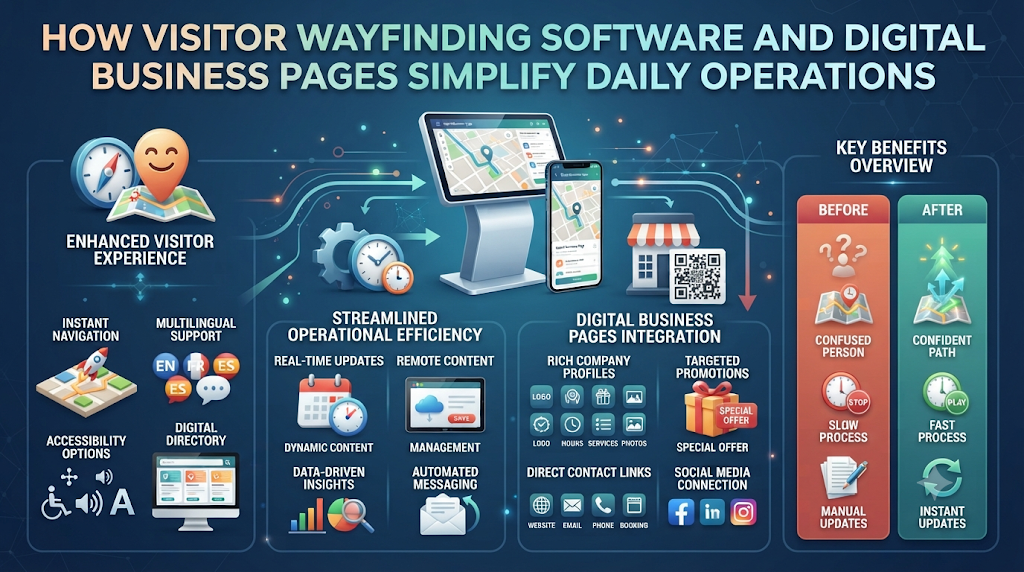
Every day, organizations share critical operational details with guests, clients, and delivery drivers. A job candidate needs to find the right entrance gate, a customer wants to complete a bank transfer, and a supplier asks for tax registration numbers. When teams send these instructions through scattered emails, blurry map screenshots, or long text threads, confusion slows down daily work.
Modern businesses solve this problem by using structured, mobile-friendly web pages. Instead of typing the same directions or bank details repeatedly, organizations publish clean, single-purpose pages accessible via short links or scannable QR codes. Platforms like Proezi bring digital visitor arrival instructions, payment instruction pages, and verified business identity records together in one accessible format. Recipients open the link on their phones and get exact information in seconds.
Understanding Structured Business Information Sharing
Most company websites feature a general contact page with a street address, a phone number, and an inquiry form. While helpful for initial sales questions, a standard contact page rarely guides someone who is already standing outside a large office complex or trying to pay an invoice.
Structured information-sharing tools focus on specific, practical tasks. Rather than forcing people to click through complicated website menus, these tools generate dedicated pages built for immediate action. Each page handles one clear job—such as guiding a driver into a visitor parking zone or displaying copyable bank details. Because these pages live on the web, businesses can update a gate code or temporary detour once, and every existing link or printed QR code reflects that change immediately.
Why Clear Arrival, Payment, and Identity Pages Matter
Small communication gaps create expensive delays across everyday business workflows. Improving three core touchpoints—physical arrival, payment instructions, and corporate identity—creates a smoother experience for everyone interacting with your organization.
Solving Last Mile Navigation for Businesses
Standard GPS apps excel at guiding drivers to a general street address. However, they often stop working effectively during the final few hundred meters. Large office parks, hospitals, industrial zones, and multi-building campuses feature multiple gates, one-way roads, and restricted loading zones. Providing clear last mile navigation for businesses bridges the gap between the main road and your exact reception desk.
Preventing Errors in Non-Card Payments
Many business-to-business invoices, service retainers, and local purchases rely on direct bank transfers or mobile payment apps rather than credit card terminals. When customers manually type long account numbers or routing codes from a PDF invoice, mistakes happen easily. A dedicated page with one-tap copy buttons prevents typing errors and helps invoices get paid faster.
Speeding Up Vendor and Client Onboarding
Before signing contracts or releasing large payments, corporate clients and suppliers routinely check company registration records. Sharing official tax numbers and registered business names through a structured link speeds up compliance checks and saves administrative teams from answering repetitive emails.
Three Core Pillars of Digital Business Information Pages
A complete digital information setup organizes operational details into three clear categories.
1. Digital Visitor Arrival Instructions
Effective visitor wayfinding software replaces vague text directions with visual, step-by-step guidance. Organizations can build arrival guides tailored to different types of guests, ensuring everyone reaches the right door without calling the front desk. Key features include:
- Annotated Photographs: Clear, real-world photos of building entrances, parking barriers, elevators, and corridors marked with directional arrows.
- Exact Map Coordinates: Precise latitude and longitude pins placed directly at parking entrances or drop-off zones rather than general postal addresses.
- Mode-Specific Routes: Separate paths for drivers, pedestrians, taxi passengers, and commercial delivery vehicles.
- Accessibility Details: Clear notes on step-free access, ramp locations, elevator sizes, and designated accessible parking bays.
- Temporary Access Notices: Immediate banners alerting guests to road construction, closed gates, or special event check-in procedures.
- Multilingual and Offline Views: Translated instructions and downloadable offline pages so visitors with weak mobile reception can still follow the route.
2. Business Payment Information Pages
Organizations frequently need to share bank details with customers in a clean, readable format. A dedicated payment instruction page puts every required field on one mobile screen. These pages commonly support:
- Bank Transfer Details: Beneficiary names, account numbers, IBAN, SWIFT/BIC codes, and local routing numbers.
- Regional Payment Options: Support for local payment networks, such as a dedicated UPI QR code payment page for instant mobile scans, alongside PayPal details for international payers.
- One-Tap Copyable Fields: Interactive buttons beside long account identifiers so payers copy exact digits without manual typing.
- Payment Reference Rules: Clear prompts telling customers which invoice number or reference code to include in their transfer notes.
- Printable Payment Signs: High-resolution QR signs ready to print and display at reception counters, retail desks, or event booths.
It is important to remember that payment information pages only display instructions. They do not process, collect, hold, or transfer funds. Customers complete every transaction safely inside their own banking or payment applications.
3. Business Identity Information Pages
Suppliers, auditors, and new clients often request official registration details before opening an account. Business identity pages allow organizations to publish their legal company name, registration number, tax identification numbers, and official registered address in one place. While platforms apply format and checksum validation to check that numbers follow standard structural patterns, this check confirms formatting accuracy only. It does not independently verify legal ownership with government authorities.
Step-by-Step Guide to Creating Effective Business Info Pages
Setting up digital arrival, payment, and identity pages takes minimal technical effort when you follow a simple process.
Step 1: Identify Frequent Support Questions
Speak with receptionists, sales staff, and accounting teams. Ask them which questions guests and clients ask most often. Common examples include “Where do visitors park?” or “Which reference number should I put on my bank transfer?”
Step 2: Walk and Photograph the Arrival Route
Walk the exact path a first-time visitor takes from the main street to your reception desk. Take bright, eye-level photos at every decision point, such as parking gates, building lobbies, and elevator banks. Add simple arrows or labels to show where the visitor should turn or press a buzzer.
Step 3: Separate Routes by Arrival Method
Create distinct sections for people arriving by car, public transit, or delivery truck. Drivers need parking gate instructions, whereas pedestrians need to know which street entrance has a visitor intercom.
Step 4: Verify Financial and Registration Data
Collect official bank account numbers, UPI IDs, and tax registration certificates from your finance team. Double-check every character before publishing to ensure complete accuracy.
Step 5: Generate Links and QR Codes
Create your digital pages and export both short web links and high-resolution QR codes. Place the links in calendar invites or emails, and print the QR codes on physical signs or invoices.
Step 6: Test Across Mobile Devices
Scan each QR code using different smartphones before sharing them publicly. Confirm that photos load rapidly, text remains easy to read outdoors, and copy buttons paste the exact right numbers.
Practical Business Applications Across Industries
Organizations across many sectors rely on QR code directions for visitors and structured information pages to streamline daily work:
- Corporate Offices and Business Parks: Replace outdated “how to find us page for business” website sections with a single link in calendar invites, guiding guests from visitor parking lots straight to the right floor.
- Event Venues and Conference Centers: Print an event venue directions QR code on digital tickets and registration emails so attendees find specific entrance gates, badge pickup desks, and parking zones without crowding main lobbies.
- Medical Clinics and Outpatient Centers: Help patients locate specific diagnostic wings, accessible drop-off points, and pharmacy counters using calm, easy-to-follow photo guides.
- Warehouses and Logistics Hubs: Direct freight drivers straight to assigned loading docks and security check-in windows, keeping heavy trucks away from staff parking areas.
- Consultants, Agencies, and Freelancers: Share clean payment instruction pages and verified tax registration links on PDF invoices to speed up client vendor onboarding and invoice settlement.
Best Practices for High Adoption and Clarity
Follow these practical tips to make sure visitors and customers actually use your digital pages:
- Use Visual Landmarks Over Compass Directions: Write “Turn left at the blue glass reception desk” instead of “Head northwest down the corridor.” People navigate much faster using visible objects.
- Capture Photos from the Visitor’s Angle: Stand where the visitor stands when taking photos. Showing a gate from the street view helps drivers recognize it immediately.
- Add Clear Labels Under QR Codes: Never display an unlabeled QR code. Include a brief prompt underneath, such as “Scan for Parking and Entrance Directions” or “Scan for Bank Transfer Info.”
- Provide a Direct Backup Phone Number: Always place a working reception or support phone number at the bottom of arrival pages in case a guest encounters an unexpected issue.
- Keep Sensitive Payment Links Targeted: Make general arrival directions easy to find publicly, while sharing direct bank transfer pages specifically with confirmed customers and invoice recipients.
Common Mistakes to Avoid
Avoid these frequent errors when setting up digital wayfinding and business information tools:
- Relying Only on Street Addresses: A standard postal address often routes drivers to the front of a building when the visitor parking entrance sits on a side street. Always pin exact entrance coordinates.
- Uploading Unedited Wide Photos: Posting wide photos of crowded intersections without arrows forces guests to guess which door belongs to your office.
- Overlooking Accessibility Details: Failing to note stairs, narrow doorways, or elevator locations creates frustrating obstacles for visitors with mobility needs.
- Omitting Payment Reference Instructions: Leaving out invoice number rules forces accounting teams to spend extra time matching incoming bank transfers to client accounts.
- Forgetting to Remove Old Temporary Notices: Leaving a “North Gate Closed” alert active weeks after repairs finish confuses returning visitors.
Realistic Business Examples
Example 1: Multi-Tenant Medical Complex
A busy outpatient clinic located inside a large medical complex struggled with patients arriving late because they parked in the wrong garage. The clinic staff created a digital guide offering parking and entrance directions for visitors with annotated photos of the green elevator bank and the second-floor check-in window. Adding this link to appointment reminder texts reduced late arrivals and eased congestion at the main building information desk.
Example 2: B2B Software Consultancy
A growing software consultancy frequently onboarded enterprise clients who required formal tax registration documents and international wire instructions before issuing purchase orders. Instead of sending multiple attachments, the consultancy created a dedicated business identity page alongside a copyable bank transfer instruction page. Sharing both links inside client onboarding packets cut administrative back-and-forth and accelerated invoice approvals.
Frequently Asked Questions (FAQs)
1. Do guests need to install a mobile app to open QR code directions for visitors?
No. When a guest scans a QR code with their phone camera, the arrival instructions open directly inside their standard mobile web browser. There is no app to download or configure.
2. How does visitor wayfinding software improve on standard navigation apps?
Standard navigation apps guide drivers to a general street address, which often stops at the main road. Visitor wayfinding software covers the final stretch—using annotated photos and exact coordinates to guide people through parking gates, walkways, and elevators straight to your door.
3. Can digital visitor arrival instructions show wheelchair and step-free routes?
Yes. Organizations can include dedicated accessibility instructions showing ramp locations, accessible parking spaces, step-free entrances, and elevator paths so visitors with mobility needs can arrive smoothly.
4. Does a payment instruction page process credit cards or transfer funds directly?
No. A payment instruction page displays verified payment details—such as bank account numbers, IBANs, or UPI IDs—so customers can copy them accurately. Customers complete the actual payment inside their own banking or payment app.
5. Why use a dedicated UPI QR code payment page rather than sending a plain QR image?
A structured payment page displays a scannable QR code alongside copyable UPI IDs, account holder names, and payment reference rules. Because the page lives online, you can update instructions anytime without reprinting physical counter signs.
6. How can businesses safely share bank details with customers?
Businesses can place their transfer details on a clean, structured web page with one-tap copy buttons and share that direct link alongside invoices. This prevents manual typing mistakes and ensures clients always see current account information.
7. What does format validation do when you share business registration details online?
Format validation checks whether a tax ID or company registration number follows the official length, character rules, and mathematical checksum structure for that region. While it catches accidental typos, it does not replace official verification through government business registries.
8. How does an event venue directions QR code help event staff?
Organizers can include a QR code on digital tickets that directs attendees to specific parking lots, shuttle stops, or entrance gates based on their ticket type. This reduces crowding at main entrances and cuts repetitive questions for staff.
9. What happens if our office entrance closes temporarily for construction?
Because digital arrival pages are web-based, staff can add a temporary access notice or swap out entrance photos in minutes. Every existing link and printed QR code immediately shows the updated instructions.
10. Can visitors read digital arrival instructions in underground garages with poor signal?
Yes. Well-structured arrival pages use lightweight images and support offline viewing options so guests can load the directions before entering low-signal parking garages or remote areas.
Conclusion
Clear, structured information removes everyday friction between organizations and the people they serve. When visitors know exactly where to park and which door to enter, meetings start on time and front-desk teams stay focused on essential tasks. When customers receive clean payment instruction pages and transparent business identity records, invoices get paid faster and vendor onboarding runs smoothly.
By organizing arrival routes, payment instructions, and registration details into accessible web pages and QR codes, businesses replace scattered messages with reliable self-service clarity. Adopting structured information sharing improves daily efficiency and creates a professional, welcoming experience at every touchpoint.
Leave a Reply